Up

Automatically Document Dynamics 365 Configuration: An AI Agent Instead of Days of Manual Work

Based on our project experience, manually documenting the setup configuration for Dynamics 365 F&SCM quickly takes one to two workdays per parameter form—and the documentation is already out of date by the time the next configuration update is released. ICB GmbH’s AI agent automatically documents over 50 D365 forms and keeps the documentation up to date week after week.

ICB GmbH
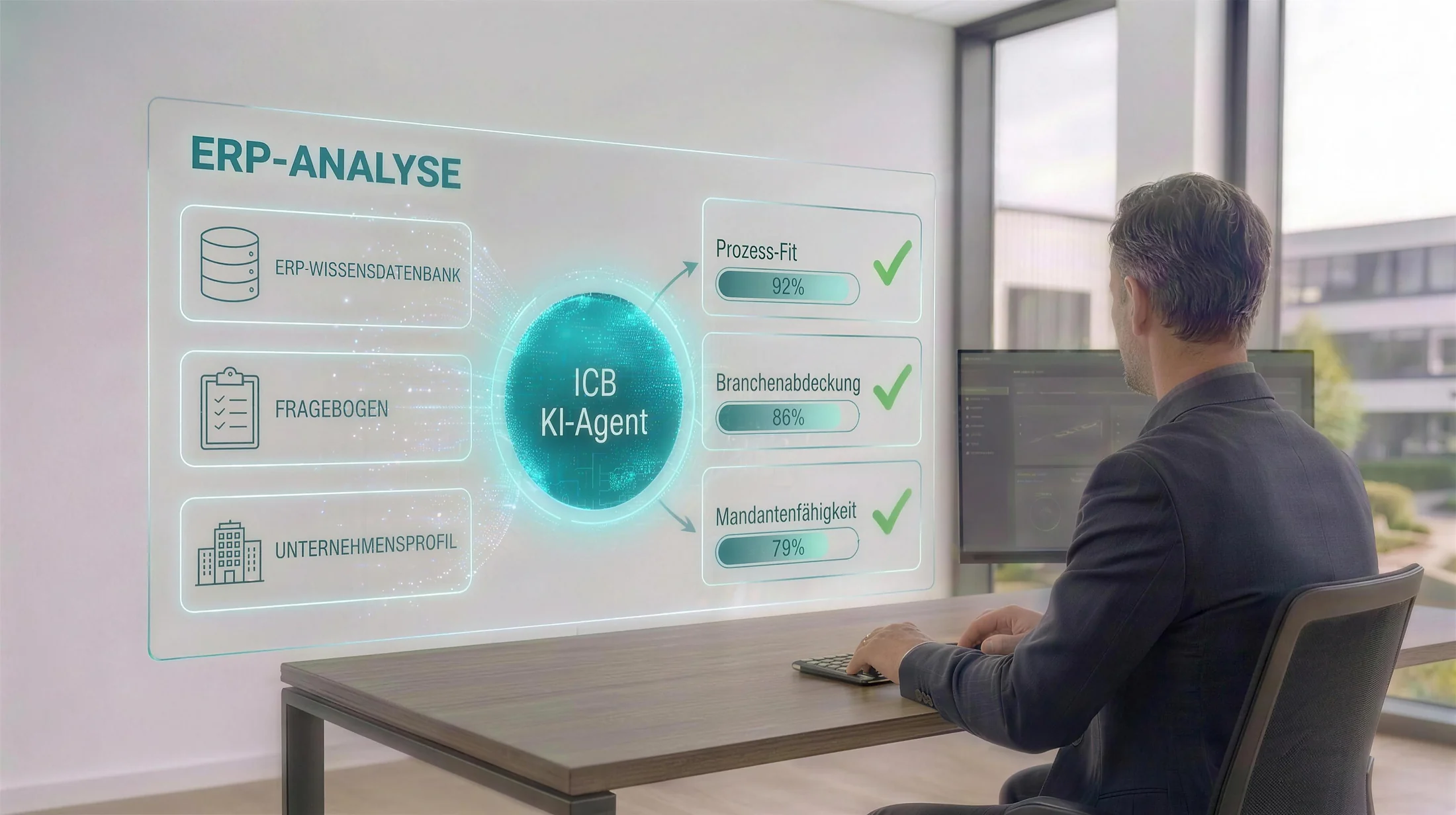
The AI agent retrieves the setup configuration from Dynamics 365 F&SCM and uses it to generate structured documentation

Key Points at a Glance

Over 50 parameter forms are documented fully automatically.
Each form includes up to 15 tabs with approximately 200 configuration options.
The result is machine-readable JSON and an Excel workbook for each form.
The documentation is updated weekly—without any human intervention.

An ERP implementation—and hundreds of parameters per form

The context: an ERP implementation using Microsoft Dynamics 365 Finance & Supply Chain Management for one of our clients. As with any D365 project, a large part of the actual solution lies not in the code, but in the configuration—specifically, in the parameter forms that define how the system performs calculations, posts transactions, manages inventory, and plans.

These forms are quite complex: A single parameter form can easily include up to 15 tabs with a total of around 200 fields and configuration options—ranging from drop-down lists and checkboxes to threshold values. Each of these settings represents a decision made by the project team—and one that should be documented somewhere in a traceable manner.

Why does ERP documentation become outdated so quickly?

The traditional approach works like this: A consultant or key user opens the form, works through the field groups tab by tab, and transfers each value into a document. Based on our project experience, this can easily take one to two workdays per parameter form —a conservative estimate that doesn’t include screenshots, formatting, or review.

The real problem, however, isn’t the one-time effort. During an ongoing ERP implementation, the configuration is constantly changing: workshops lead to new decisions, tests result in corrections, and the go-live date draws nearer. Any manually created documentation is therefore a snapshot that will no longer be accurate by the time the next configuration update is made. That’s exactly why , in practice , it eventually stops being maintained altogether.

With over 50 relevant parameter forms, manual documentation adds up to several weeks of intensive work—for a version that becomes outdated shortly thereafter. No one in an ongoing project can or wants to do this work.

How do you document a D365 setup without wasting weeks?

The task we set for ourselves was therefore deliberately phrased differently: not “document the configuration,” but “ensure that the documentation stays up to date without anyone having to maintain it.”

As an innovation project—initially as an in-house proof of concept—we developed an AI agent based on Microsoft Copilot Studio. The agent reads the entire setup configuration directly from Dynamics 365 F&SCM: all tabs, field groups, and fields of a form, including expanded selection values. In other words, it not only detects that a field has been selected but also identifies which of the possible options was chosen. The technical bridge to the ERP system is the Model Context Protocol (MCP): The AI agent communicates directly and in a standardized manner with the system via the Dynamics 365 ERP MCP server—without screen automation and without any detours.

From this raw data, the agent automatically generates structured documentation in two formats—and the division is intentional: The machine-readable JSON is the format for systems and AI—it makes configuration states programmatically comparable and serves as the foundation on which other agents and automations can build, from synchronizing two environments to controlled rollback. The Excel workbook for each form is the format designed for people: consultants and key users can look up a setting in seconds, filter results, and add comments—all without writing a single line of code. What used to take one to two workdays of manual labor per form now runs automatically without any manual effort.
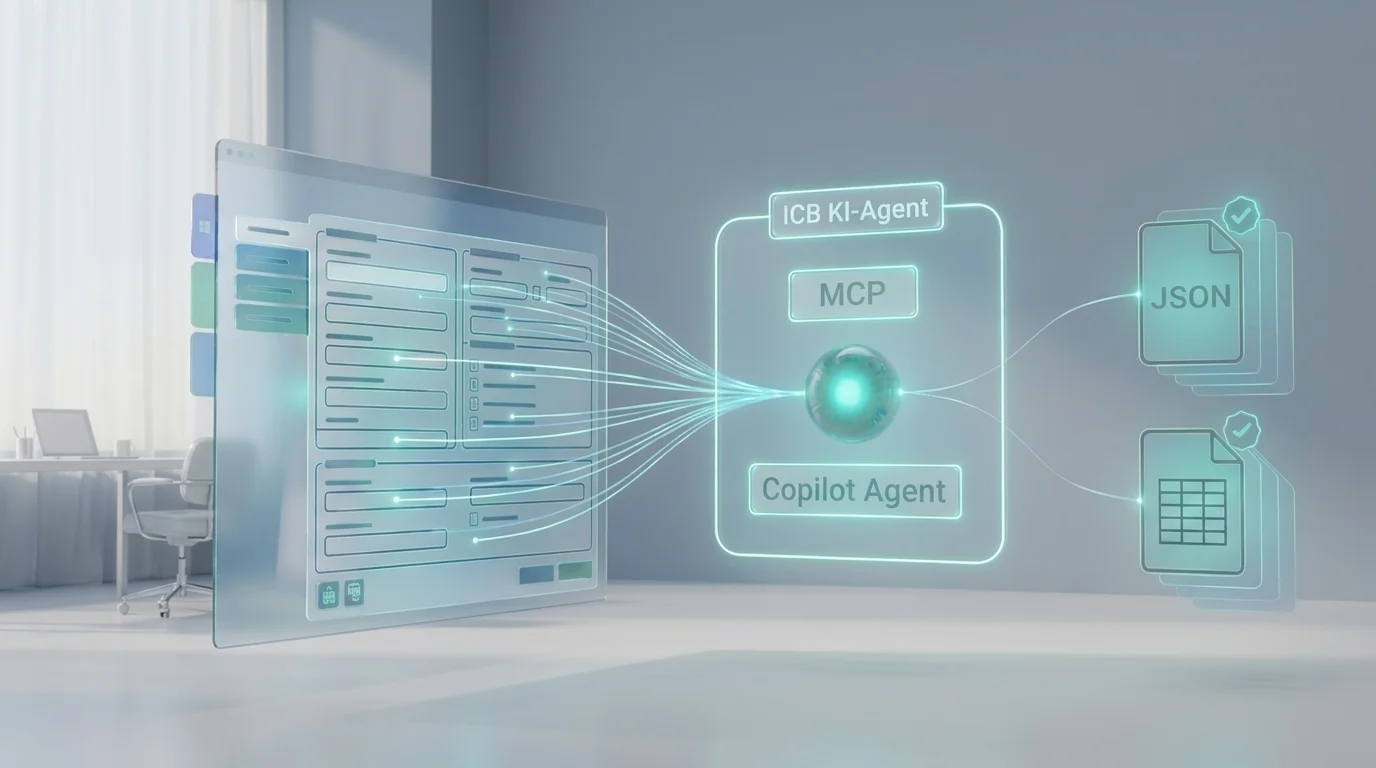
Automatically generated setup documentation for a D365 parameter form in JSON and Excel workbook formats
The Copilot Agent reads the parameter form via the Dynamics 365 ERP MCP—the output is machine-readable JSON and an Excel workbook. Image: AI-generated.

In productive use today—and the documentation is right there

Following the successful proof of concept, we approved the agent for use at the customer’s site and deployed it in their environment. There, it now automatically updates the entire set of over 50 parameter forms—once a week, without anyone having to press a button.

The real benefit here isn't the frequency, but rather the state it creates: The setup documentation is simply always available and always up to date. No one has to remember it, no one has to update it, and no one has to frantically gather the current status before an audit or a workshop.
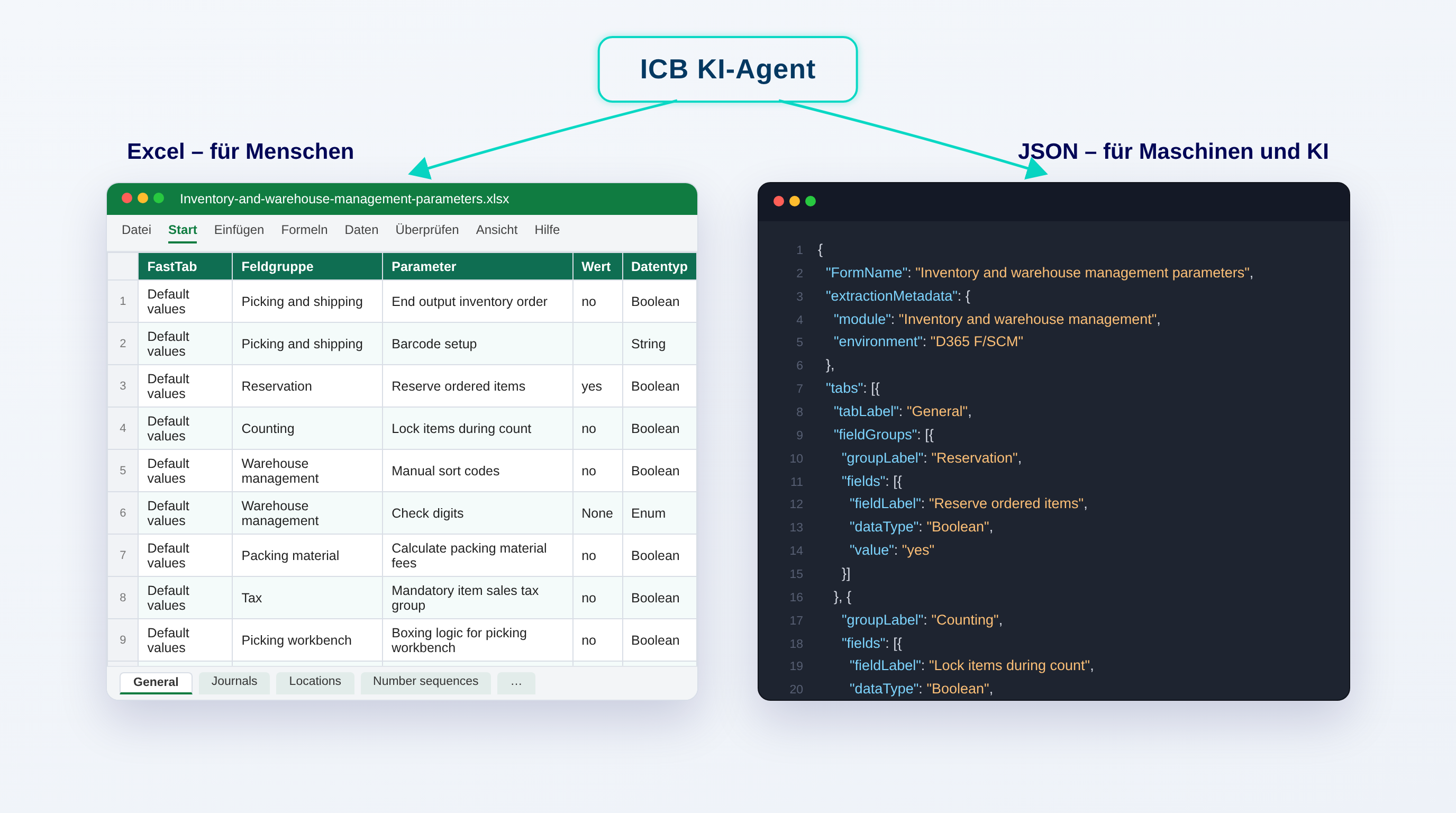
More Than Just a Document: Snapshots, History, and the Path to the Golden Configuration

With each run, more than just an up-to-date reference work is created. The regularly generated versions evolve into a toolkit for the entire project:

Always Up-to-Date Setup Documentation

The documented status reflects the current state of the system—not the state of knowledge from three months ago. Discussions about “so what’s actually configured?” are unnecessary.

Snapshots as Backups and Audit History

Each run is a configuration snapshot. This makes it possible to verify at any time how the system was configured at a specific point in time.

Change History

Because the data sets are in structured JSON format, they can be compared: What has changed over the course of two weeks—and does that align with the decisions made in the project?

Basis for Controlled Re-Import

An approved configuration can serve as a target configuration that can be restored to the system in a controlled manner as needed—the basis of a golden configuration.

What is a "Golden Configuration"—and how does it relate to our documentary?

A Golden Configuration is a verified, approved target state of the system configuration—the reference point against which test, training, and production environments can be validated. This is precisely where automatic snapshots provide the foundation: they capture the current state completely and in a machine-readable format. This paves the way for the transition from a documented state to a controlled re-import—not as a fully automated process, but as a realistic next step built on a clean data foundation.
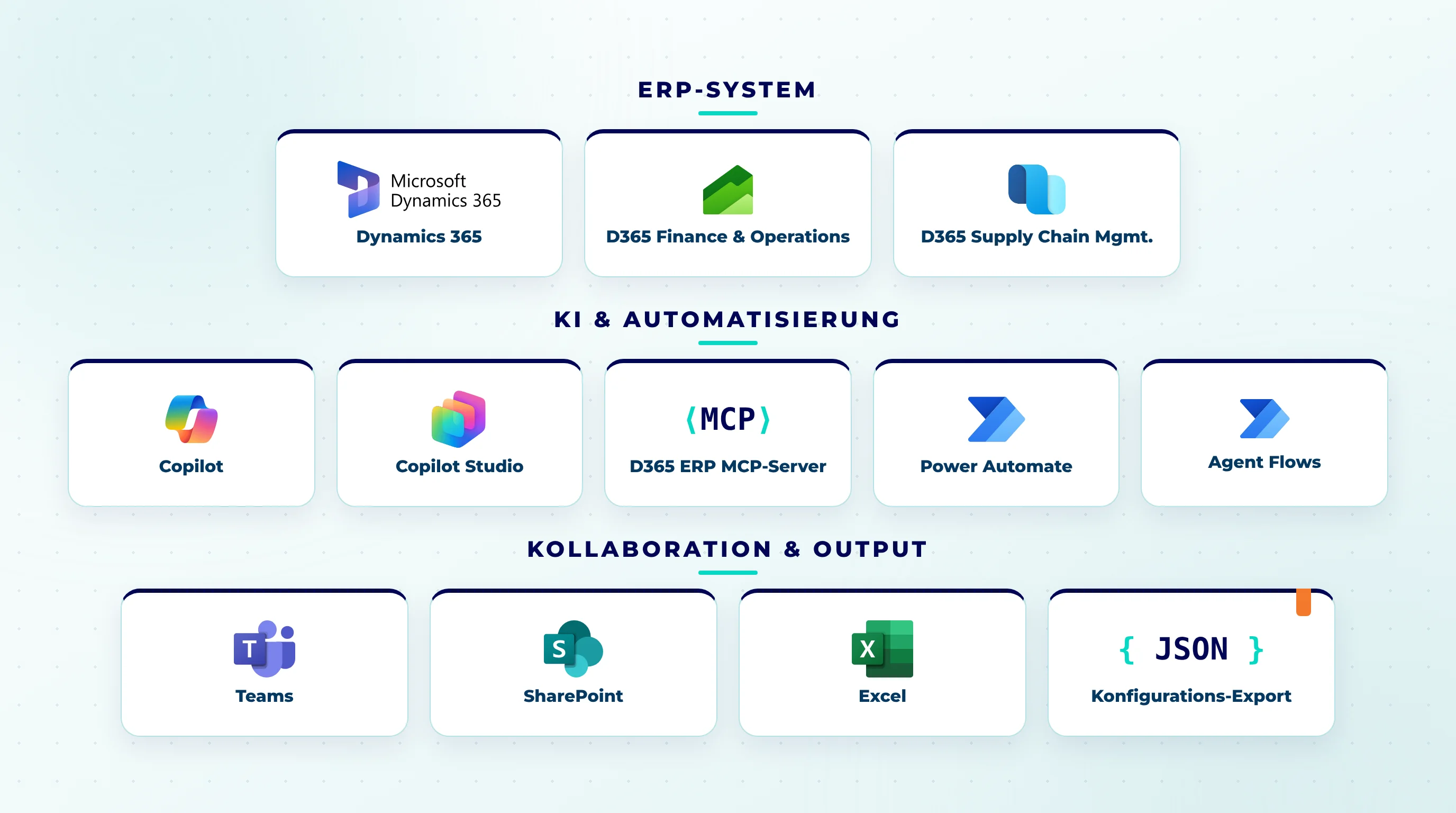
Overview of the Microsoft technologies used, presented as a collage of cards: Dynamics 365, D365 Finance and Operations, D365 Supply Chain Management, Copilot, Copilot Studio, Power Automate, Agent Flows, Teams, SharePoint, Excel, and JSON configuration export
An overview of the solution's components: from Dynamics 365 to the ERP-MCP server, Copilot Studio, and Agent Flows, all the way to the JSON configuration export. Graphic: created by us using official product icons.

A tool that will be part of future ERP implementations

The extracted information is not limited to documentation. In the future, the same data can automatically enrich work items in Azure DevOps or Jira: A ticket requesting a parameter change will then include the relevant tab, field, and current value—without anyone having to look them up.

Above all, however, the agent is reusable. It is not tied to a specific project or environment and will become part of our toolkit for future ERP implementations—so that the question “Who actually documents the setup?” doesn’t even have to be asked.

Would you like to know what AI agents can do in your ERP project?

Whether it’s setup documentation, configuration snapshots, or the path to the golden configuration: We’ll use concrete examples to show you where AI agents are already reliably taking the workload off your hands in Dynamics 365 projects. Schedule a no-obligation initial consultation.

This article describes a real-world innovation and client project undertaken by ICB GmbH in anonymized form. To protect the client’s identity, no names are mentioned; the effort estimates provided are based on our experience from project work. The cover image and the corresponding article images are AI-generated.

To our free 60 min. consultation
Calendar

When

Map

Where

Clock

Agenda

Frequently asked questions

How do I document the configuration of Dynamics 365 F&SCM?

Down arrow

The traditional manual approach: Open the form, go through the field groups tab by tab, and transfer the values to a document. Based on our project experience, this can easily take one to two workdays per parameter form. The alternative is an AI agent that reads the configuration directly from the system and automatically documents it as JSON and an Excel workbook.

Can ERP documentation be automated using AI?

Down arrow

Yes. We’ve developed an AI agent based on Microsoft Copilot Studio that fully reads the Dynamics 365 F&SCM setup configuration—including all tabs, field groups, and fields, as well as expanded selection values—and generates structured documentation from it. At the customer’s site, it now documents over 50 forms fully automatically, once a week.

What is a Golden Configuration in Dynamics 365?

Down arrow

A Golden Configuration is a verified, approved target state of the system configuration against which any environment can be compared. The automatically generated configuration snapshots provide the foundation for this: They record how the system was configured at a specific point in time, make states comparable, and can serve as the basis for a controlled re-import of the target configuration.

Can the AI agent be deployed in existing D365 environments?

Down arrow

Yes. The agent reads the configuration directly from Dynamics 365 F&SCM and is not tied to a specific project. We developed it as an internal innovation project and are incorporating it as a reusable tool in ERP implementations and existing systems—we’ll work with you to determine which forms to document.

How do you get started on a project like this?

Down arrow

The easiest way is to discuss your specific situation: What is your environment like? What forms do you need? What is your goal—pure documentation, audit history, or the path to the Golden Configuration? Based on this, we’ll provide a realistic assessment of the effort involved and the benefits. Simply schedule a no-obligation initial consultation with us.

Share article

Table of contents
To our free 30 min. consultation

Key Points at a Glance

Over 50 parameter forms are documented fully automatically.
Each form includes up to 15 tabs with approximately 200 configuration options.
The result is machine-readable JSON and an Excel workbook for each form.
The documentation is updated weekly—without any human intervention.

An ERP implementation—and hundreds of parameters per form

The context: an ERP implementation using Microsoft Dynamics 365 Finance & Supply Chain Management for one of our clients. As with any D365 project, a large part of the actual solution lies not in the code, but in the configuration—specifically, in the parameter forms that define how the system performs calculations, posts transactions, manages inventory, and plans.

These forms are quite complex: A single parameter form can easily include up to 15 tabs with a total of around 200 fields and configuration options—ranging from drop-down lists and checkboxes to threshold values. Each of these settings represents a decision made by the project team—and one that should be documented somewhere in a traceable manner.

Why does ERP documentation become outdated so quickly?

The traditional approach works like this: A consultant or key user opens the form, works through the field groups tab by tab, and transfers each value into a document. Based on our project experience, this can easily take one to two workdays per parameter form —a conservative estimate that doesn’t include screenshots, formatting, or review.

The real problem, however, isn’t the one-time effort. During an ongoing ERP implementation, the configuration is constantly changing: workshops lead to new decisions, tests result in corrections, and the go-live date draws nearer. Any manually created documentation is therefore a snapshot that will no longer be accurate by the time the next configuration update is made. That’s exactly why , in practice , it eventually stops being maintained altogether.

With over 50 relevant parameter forms, manual documentation adds up to several weeks of intensive work—for a version that becomes outdated shortly thereafter. No one in an ongoing project can or wants to do this work.

How do you document a D365 setup without wasting weeks?

The task we set for ourselves was therefore deliberately phrased differently: not “document the configuration,” but “ensure that the documentation stays up to date without anyone having to maintain it.”

As an innovation project—initially as an in-house proof of concept—we developed an AI agent based on Microsoft Copilot Studio. The agent reads the entire setup configuration directly from Dynamics 365 F&SCM: all tabs, field groups, and fields of a form, including expanded selection values. In other words, it not only detects that a field has been selected but also identifies which of the possible options was chosen. The technical bridge to the ERP system is the Model Context Protocol (MCP): The AI agent communicates directly and in a standardized manner with the system via the Dynamics 365 ERP MCP server—without screen automation and without any detours.

From this raw data, the agent automatically generates structured documentation in two formats—and the division is intentional: The machine-readable JSON is the format for systems and AI—it makes configuration states programmatically comparable and serves as the foundation on which other agents and automations can build, from synchronizing two environments to controlled rollback. The Excel workbook for each form is the format designed for people: consultants and key users can look up a setting in seconds, filter results, and add comments—all without writing a single line of code. What used to take one to two workdays of manual labor per form now runs automatically without any manual effort.

Automatically generated setup documentation for a D365 parameter form in JSON and Excel workbook formats
The Copilot Agent reads the parameter form via the Dynamics 365 ERP MCP—the output is machine-readable JSON and an Excel workbook. Image: AI-generated.

In productive use today—and the documentation is right there

Following the successful proof of concept, we approved the agent for use at the customer’s site and deployed it in their environment. There, it now automatically updates the entire set of over 50 parameter forms—once a week, without anyone having to press a button.

The real benefit here isn't the frequency, but rather the state it creates: The setup documentation is simply always available and always up to date. No one has to remember it, no one has to update it, and no one has to frantically gather the current status before an audit or a workshop.

More Than Just a Document: Snapshots, History, and the Path to the Golden Configuration

With each run, more than just an up-to-date reference work is created. The regularly generated versions evolve into a toolkit for the entire project:

Always Up-to-Date Setup Documentation

The documented status reflects the current state of the system—not the state of knowledge from three months ago. Discussions about “so what’s actually configured?” are unnecessary.

Snapshots as Backups and Audit History

Each run is a configuration snapshot. This makes it possible to verify at any time how the system was configured at a specific point in time.

Change History

Because the data sets are in structured JSON format, they can be compared: What has changed over the course of two weeks—and does that align with the decisions made in the project?

Basis for Controlled Re-Import

An approved configuration can serve as a target configuration that can be restored to the system in a controlled manner as needed—the basis of a golden configuration.

What is a "Golden Configuration"—and how does it relate to our documentary?

A Golden Configuration is a verified, approved target state of the system configuration—the reference point against which test, training, and production environments can be validated. This is precisely where automatic snapshots provide the foundation: they capture the current state completely and in a machine-readable format. This paves the way for the transition from a documented state to a controlled re-import—not as a fully automated process, but as a realistic next step built on a clean data foundation.

Overview of the Microsoft technologies used, presented as a collage of cards: Dynamics 365, D365 Finance and Operations, D365 Supply Chain Management, Copilot, Copilot Studio, Power Automate, Agent Flows, Teams, SharePoint, Excel, and JSON configuration export
An overview of the solution's components: from Dynamics 365 to the ERP-MCP server, Copilot Studio, and Agent Flows, all the way to the JSON configuration export. Graphic: created by us using official product icons.

A tool that will be part of future ERP implementations

The extracted information is not limited to documentation. In the future, the same data can automatically enrich work items in Azure DevOps or Jira: A ticket requesting a parameter change will then include the relevant tab, field, and current value—without anyone having to look them up.

Above all, however, the agent is reusable. It is not tied to a specific project or environment and will become part of our toolkit for future ERP implementations—so that the question “Who actually documents the setup?” doesn’t even have to be asked.

Would you like to know what AI agents can do in your ERP project?

Whether it’s setup documentation, configuration snapshots, or the path to the golden configuration: We’ll use concrete examples to show you where AI agents are already reliably taking the workload off your hands in Dynamics 365 projects. Schedule a no-obligation initial consultation.

This article describes a real-world innovation and client project undertaken by ICB GmbH in anonymized form. To protect the client’s identity, no names are mentioned; the effort estimates provided are based on our experience from project work. The cover image and the corresponding article images are AI-generated.

To our free 30 min. consultation
Calendar

When

Map

Where

Clock

Agenda

Frequently asked questions

How do I document the configuration of Dynamics 365 F&SCM?

Down arrow

The traditional manual approach: Open the form, go through the field groups tab by tab, and transfer the values to a document. Based on our project experience, this can easily take one to two workdays per parameter form. The alternative is an AI agent that reads the configuration directly from the system and automatically documents it as JSON and an Excel workbook.

Can ERP documentation be automated using AI?

Down arrow

Yes. We’ve developed an AI agent based on Microsoft Copilot Studio that fully reads the Dynamics 365 F&SCM setup configuration—including all tabs, field groups, and fields, as well as expanded selection values—and generates structured documentation from it. At the customer’s site, it now documents over 50 forms fully automatically, once a week.

What is a Golden Configuration in Dynamics 365?

Down arrow

A Golden Configuration is a verified, approved target state of the system configuration against which any environment can be compared. The automatically generated configuration snapshots provide the foundation for this: They record how the system was configured at a specific point in time, make states comparable, and can serve as the basis for a controlled re-import of the target configuration.

Can the AI agent be deployed in existing D365 environments?

Down arrow

Yes. The agent reads the configuration directly from Dynamics 365 F&SCM and is not tied to a specific project. We developed it as an internal innovation project and are incorporating it as a reusable tool in ERP implementations and existing systems—we’ll work with you to determine which forms to document.

How do you get started on a project like this?

Down arrow

The easiest way is to discuss your specific situation: What is your environment like? What forms do you need? What is your goal—pure documentation, audit history, or the path to the Golden Configuration? Based on this, we’ll provide a realistic assessment of the effort involved and the benefits. Simply schedule a no-obligation initial consultation with us.

Share article

Close icon
close