


Customer Success Story
ICB GmbH has integrated Microsoft Dynamics 365 Business Central and Field Service into a unified platform for a medium-sized industrial company. The customer assembles battery systems, provides field service to maintain installed systems, and ensures availability in the event of a failure through an emergency supply system—all three business models run on Business Central, while Field Service handles on-site service operations.

The customer is a medium-sized industrial company whose business extends far beyond sales: It assembles battery systems from individual components, maintains and inspects the installed systems at the customer’s site, and ensures availability through an emergency power supply in the event of a system failure. Maintenance, repair, and spare parts supply throughout the entire lifecycle thus constitute a business model in their own right—just as they do for many manufacturers and operators of technical systems.
It is precisely this combination—commercial sales on the one hand and technical field service on the other—that makes the IT landscape challenging. The commercial team needs accurate orders, pricing, and billing; technicians need clear work orders, the system’s history, and tools that work on-site, even offline.
The existing Microsoft Navision system covered the business processes but reached its limits in the service business. The workflow from service order to field technician was not seamless: information was entered multiple times, it was difficult to track material usage in the service vehicle, and maintenance documentation was handled outside the system rather than within it.
The scope of the project was correspondingly broad: Business Central as the primary ERP system, supplemented by a CRM system for sales and customer relations, a document management system (DMS) for audit-compliant records, and Microsoft Dynamics 365 Field Service for operational service processes. This resulted in a seamless Microsoft platform—from business operations and customer history all the way to the technician on site.
The real challenge lay in the diversity: A medium-sized company with multiple business models—assembly, maintenance, and emergency services—needed to map all types of value creation within a single ERP system while seamlessly integrating field service. We brought together precisely this combination in Business Central and Field Service.
The two systems divide their responsibilities along clear lines: Business Central is the primary system for all business operations, while Microsoft Dynamics 365 Field Service handles all field service operations. They are integrated via Microsoft Dataverse—the shared data platform through which both systems exchange the same data sets.
Business Central handles financial accounting—including integration with DATEV—purchasing, inventory and logistics, pricing, as well as the business aspects of service orders and billing. This is where the service order is created, and this is where invoicing takes place at the end.
Field Service handles the execution: work orders, asset management at the customer site, scheduling, and the mobile app for technicians. The service order from Business Central becomes a work order; the technician performs the maintenance, documents it with an inspection report and the customer’s signature—and the feedback is sent back to Business Central for billing.
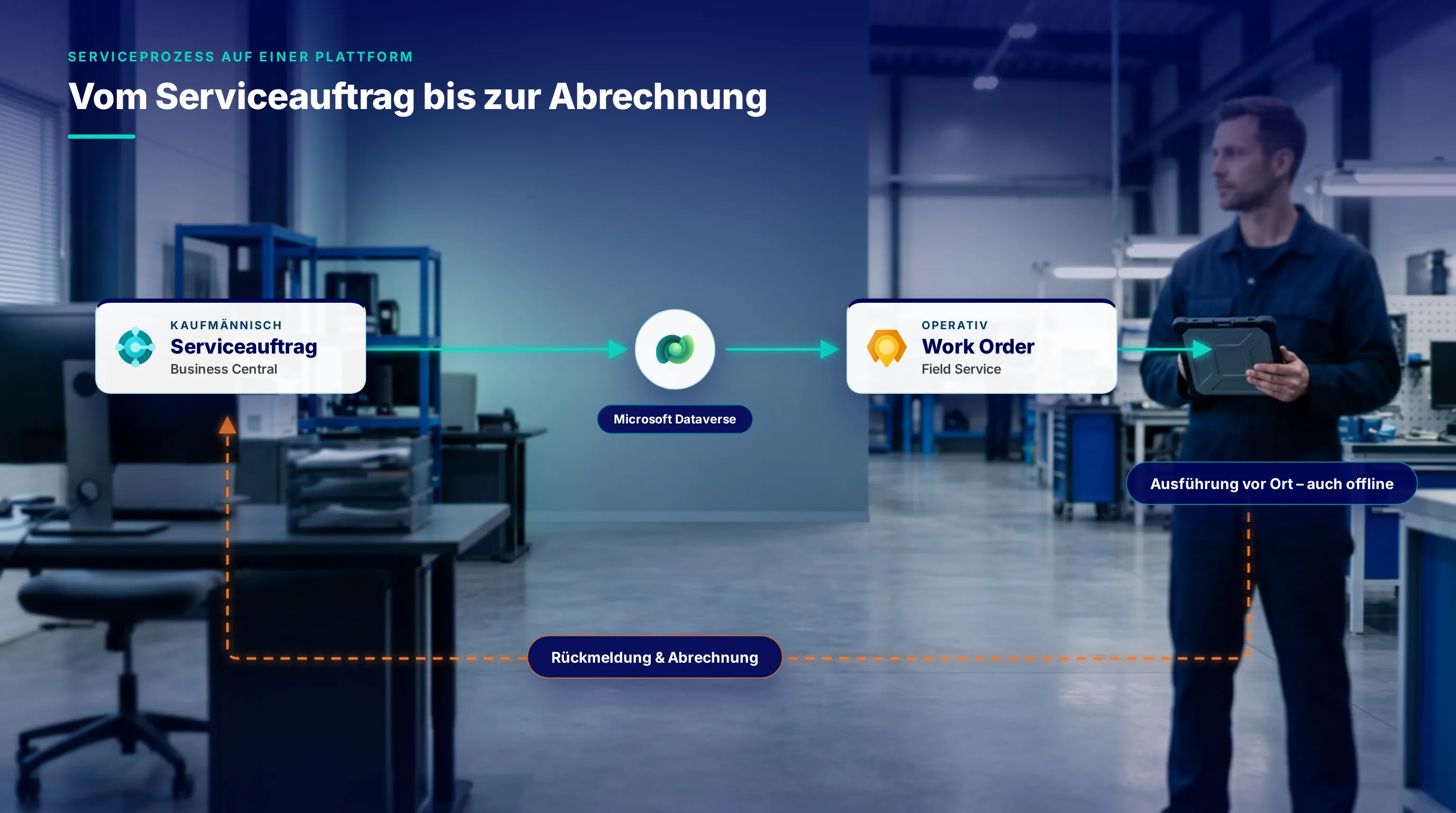
The service process, from the sales order to billing—integrated via Microsoft Dataverse. Image: AI-generated illustration; process diagram: our own graphic.
The goal was not just a new ERP system, but a clear separation of responsibilities between the commercial and operational sides—while ensuring data consistency throughout. An overview of the steps:
Clearly Defined Responsibilities: What Belongs in the ERP System, and What Belongs in the System for the Operational Service Business?
Business Central as the foundation for business operations: Finance with DATEV, cost accounting and dimensions, purchasing, inventory, pricing, and quote-to-order processing
Multiple Business Models in a Single ERP System: Product Assembly via an Assembly Configurator, Maintenance Services, and Emergency Supply
Field Service Integrated via Microsoft Dataverse – Service Requests and Work Orders Remain Synchronized
Service carts are mapped as separate storage locations in Business Central
Mobile Technician Edition, including offline functionality: checklists, inspection reports, and customer signatures directly in the system
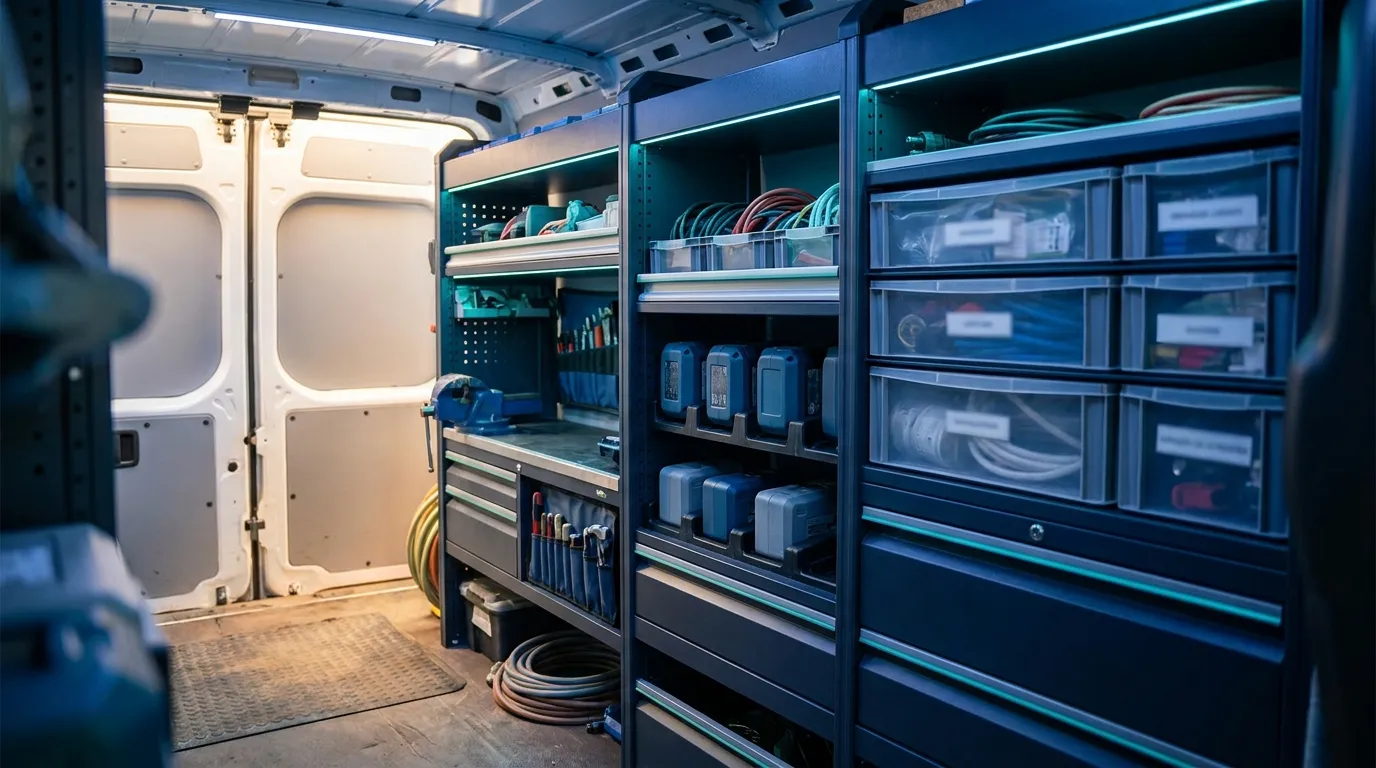
The service vehicle is managed as a separate storage location in Business Central. Materials are transferred there from the central warehouse, and the consumption is recorded in the work order—this way, inventory levels remain traceable all the way to the customer without anyone having to maintain separate lists.
Image: AI-generated.
Business Central handles the back-office functions, while Field Service manages operations—linked via Microsoft Dataverse. Information is created once, not multiple times.
The service vehicle is a separate storage location in Business Central: Materials are transferred from the central warehouse, and the usage is documented in the work order.
Checklists, inspection reports, and customer signatures are created directly in the technicians' mobile app—even offline.
Packaging, maintenance, and emergency care are managed through a single ERP system rather than through separate, isolated solutions.
Whether it’s Business Central, Field Service, or a combination of both—we’ll work with you to determine how your business models and field service operations can be mapped onto a single platform. No-obligation and concrete.
Schedule a consultationHow we implement ERP projects: from defining responsibilities through configuration to go-live—with a focus on standard solutions rather than custom ones.
The starting point for any end-to-end service platform: streamline processes, clarify responsibilities, and eliminate duplicate data entry.
Real-world consulting project by ICB GmbH, presented anonymously—details regarding the industry and project scope have been intentionally kept general. Page images: AI-generated; the process diagram is a custom graphic superimposed on an AI-generated background.
